
Diff between 2 versions
Once two versions have been analysed and their API data stored in the database, we can evaluate the API differences between them and the violations they bring. This can be done two different ways:
Through the web interface
On the page of a component, it is possible to select two versions that we wish to compare. By clicking on the “View differences between selected A and B versions” button, the APIWatch server will do a comparison of the two selected versions API.
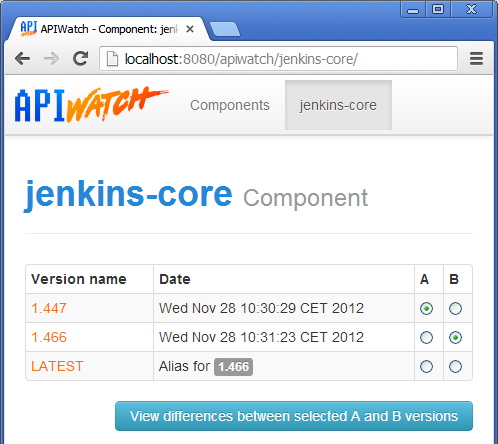
Versions to compare selection
t will then evaluate differences found with the help of API stabiity rules, each difference being then the source of potentially one or more violations. The next figure shows the result of a comparison between versions 1.447 and 1.466 of the jenkins-core component.
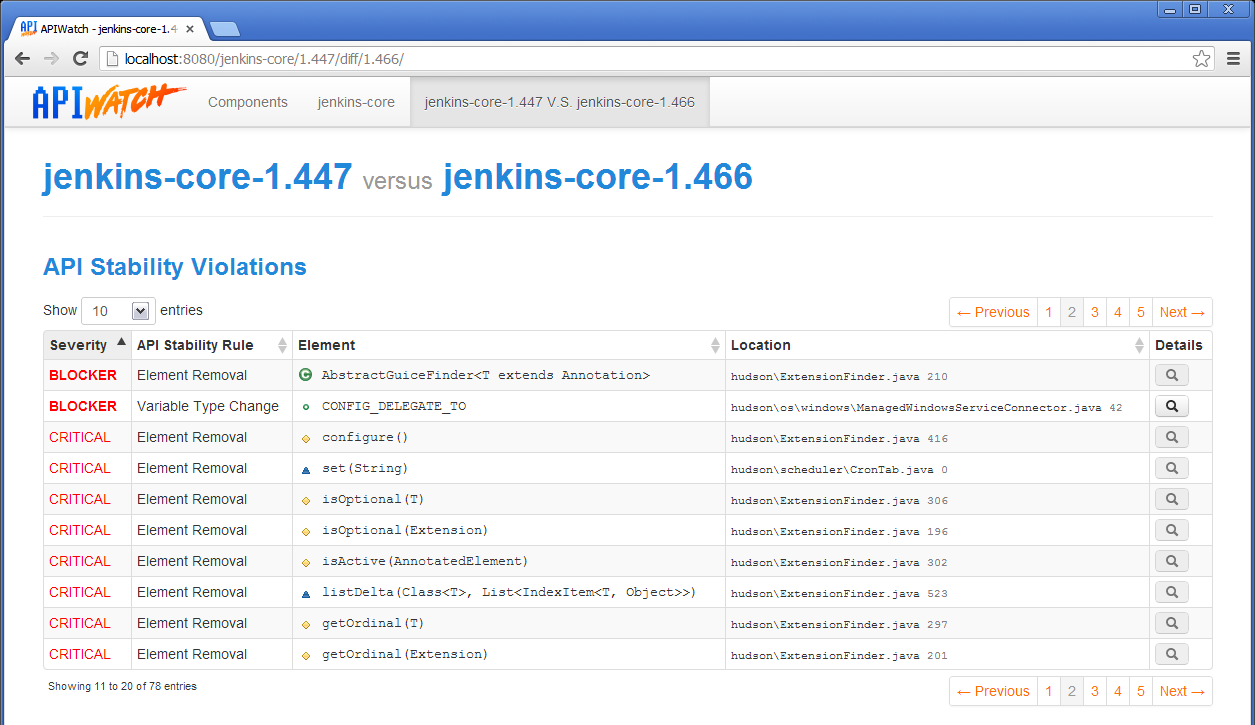
API stability violations between two versions of the same component
For certain violations, you can have more details by clicking on the magnifier button.
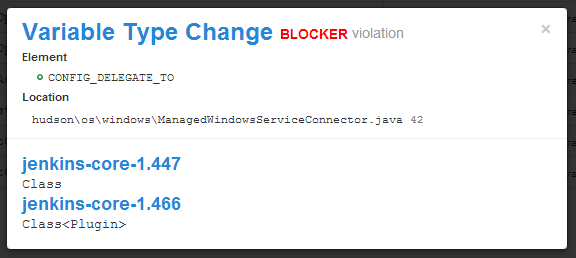
Detail of an API stability violation
Through the command line
With the apidiff tool, you can evaluate the stablity violations of an API between two versions of a software component.
The base syntax of the command is: apidiff <version A> <version B>. The versions can be a file path or a server URI. Here is the result of the comparison between previously recorded versions:
user:~ $ apidiff http://localhost:8080/apiwatch/jenkins-core/1.447/ \
                     http://localhost:8080/apiwatch/jenkins-core/1.466/
[CRITICAL] <REM001> Removed PROTECTED Function:configure() @ 'hudson/ExtensionFinder.java:416'
[BLOCKER] <REM001> Removed PUBLIC Variable:LOG_STARTUP_PERFORMANCE @ 'jenkins/model/Jenkins.java:3610'
...
[BLOCKER] <TYP001> Changed type of PUBLIC variable 'CONFIG_DELEGATE_TO' (Class -> Class<Plugin>) @ 'hudson/os/windows/ManagedWindowsServiceConnector.java:42'
It is possible to choose the API stability violations output format with the -f/–format option.
Here APIWatch evaluated violations with the default API stability rules (cf. Annexe A). You can change that configuration to adapt it to a project with the -r/–reules-config option, with a custom file. The default version of the file is in the conf directory of the APIWatch installation.